“Naturally, a VCF host has at least two NICs. Are we testing that, or have you virtualised it away?”
Fair question, and like most fair questions it has an irritating two-part answer. In a nested lab, the outer host provides the physical redundancy: its vDS and its NSX uplinks. A second vNIC on the nested VM adds exactly none of that.
But VCF doesn’t know it’s nested. We expected bringup’s host validation, and the vDS uplink teaming it sets up, to want two vmnics. We never tried a host with one. For the record, Broadcom’s docs allow single-pNIC hosts, and the VCF Installer’s 9.1 known issue only bites single-pNIC hosts that use an NFS datastore.
So our nested hosts get two vNICs, both on the trunk subnet. Which leaves the fun question (for a given value of fun): does failover between them actually work inside a VPC?
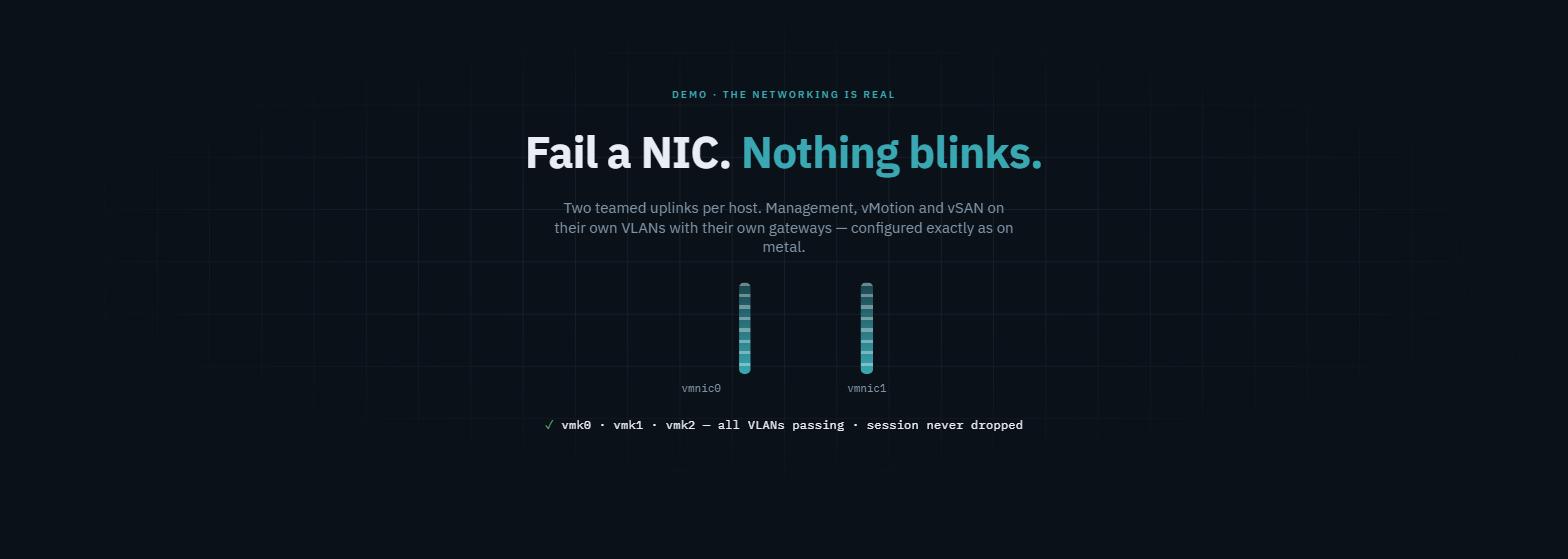
 The whole test on one page. The session I’m typing in rides the very path I break.
The setup
Both vNICs sit on the same sn-trunk subnet
(the trunk from part 1), and ESXi sees two
10G vmnics:
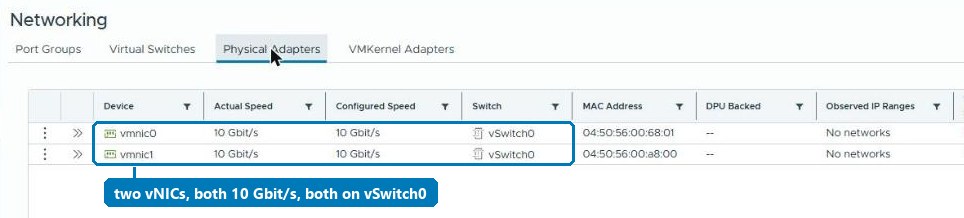
vSwitch0 teams them active/active with the default originating-port-ID policy. Every port group inherits it: Management 1610, vMotion 1611 and vSAN 1612. Nothing you wouldn’t do on metal. Thrilling stuff, I know.
The test: pull a NIC while watching from inside
The interesting part isn’t whether pings carry on. It’s which session I’m watching from.
I’m SSH’d into esx01 through its public VIP. So my session runs through
the NSX load balancer, the VPC, the trunk port and whichever vmnic happens to
carry vmk0. If failover breaks anything, it breaks the terminal I’m typing
in: the networking equivalent of sawing off the branch you’re sitting on.
Low effort, high stakes: the best kind of test.
[root@esx01-a:~] esxcli network nic list
Name    ...  Admin Status  Link Status  Speed  MAC Address
vmnic0  ...  Up            Up           10000  04:50:56:00:5c:03
vmnic1  ...  Up            Up           10000  04:50:56:00:68:00

[root@esx01-a:~] esxcli network nic down -n vmnic0    # FAIL THE FIRST NIC
vmnic0  ...  Down          Down             0  04:50:56:00:5c:03
vmnic1  ...  Up            Up           10000  04:50:56:00:68:00

[root@esx01-a:~] vmkping -I vmk1 172.30.0.71          # vMotion VLAN, now over vmnic1
3 packets transmitted, 3 packets received, 0% packet loss

[root@esx01-a:~] vmkping -I vmk2 172.30.0.101         # vSAN VLAN, now over vmnic1
3 packets transmitted, 3 packets received, 0% packet loss

[root@esx01-a:~] esxcli network nic up -n vmnic0      # restore
# session never dropped.
The full transcript, as captured
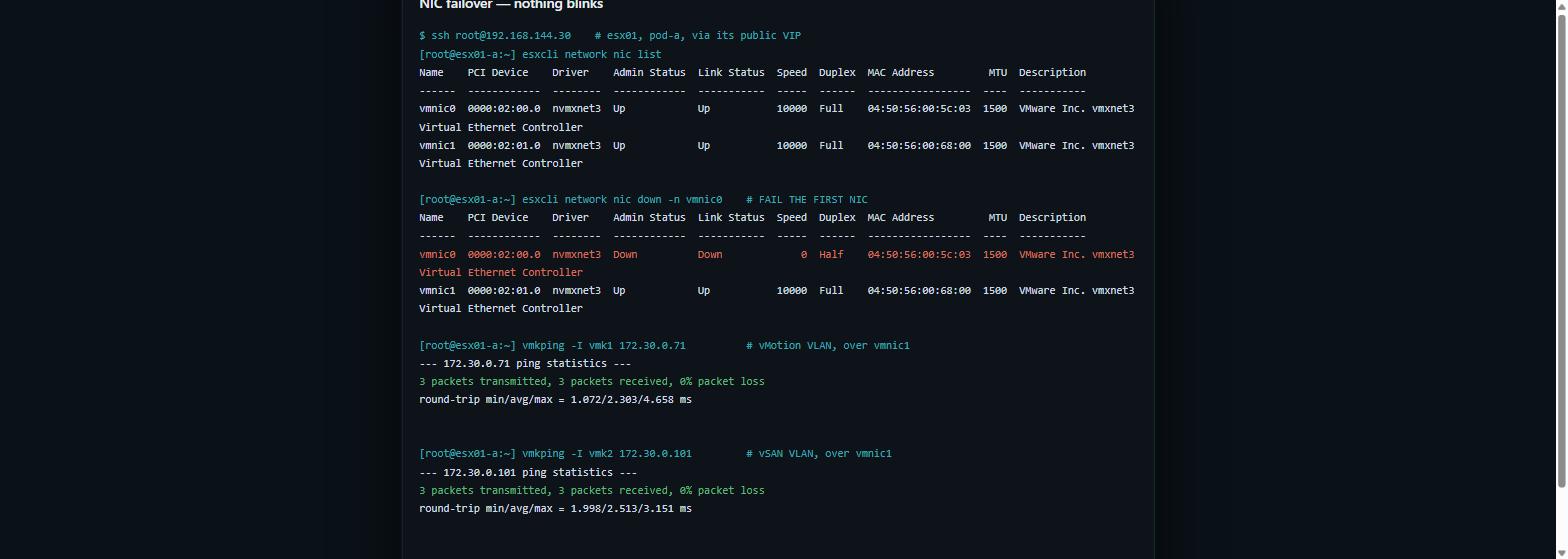
Every VLAN moved to vmnic1. Zero loss on vMotion and vSAN. And the management session, the one most likely to notice, never blinked. Slightly disappointing, if I’m honest; I’d prepared a dramatic paragraph.
Why this is a real result, not a party trick
Think about what just happened at the NSX layer. vmk0 has a MAC of its own, one ESXi made up rather than the vNIC’s. NSX had learned it on trunk port A. When vmnic0 went down, the same MAC turned up on trunk port B, mid-flow, with a live TCP session riding on it.
On a standard VPC subnet port, that is exactly what SpoofGuard exists to stop. The port’s address bindings pin one MAC. A frame from a different MAC, or the same MAC arriving on a different port, gets dropped. Part 1 showed that rule silencing a host on a standard subnet before it ever spoke.
This test shows the trunk subnet calmly accepting a foreign MAC that moves between two of its ports. Nested vSphere needs exactly that property, and so does anything else with a vSwitch inside a VM.
So the second vNIC buys three things, none of them physical redundancy:
- Bringup and vDS teaming get the two uplinks we expected them to want.
- The teaming policy you’ll configure in production gets exercised: uplink failover, active/standby for vSAN, whatever you’re rehearsing.
- A live proof that the trunk carries MAC mobility. That’s the real reassurance: the design isn’t relying on a quiet network.
One caution if the host is heading into a VCF Installer bringup. The 9.x installer’s validation wants exactly one physical NIC on vSwitch0, and stops with “has 2 Physical NICs connected to vSphere Standard Switch vSwitch0 (Expecting 1)” (KB 415469). Give such a host its second vNIC, but leave vmnic1 unclaimed until bringup takes it. The test above teams both on vSwitch0 because it tests the trunk, not a bringup.
What it does not buy, and how to say so
If someone asks “is this host redundant?”, the honest answer is “the nested host believes it is, bless it; the actual redundancy lives one layer down.”
In a training pod, that’s the right answer. Students configure and test failover exactly as they would on metal, while the outer platform does the real work. It’s usually enough to reproduce a NIC-teaming issue from the field too: most teaming bugs live in ESXi’s policy handling, not in the copper.
Where it genuinely falls short: anything about physical link behaviour. LACP negotiation, LLDP, a flapping link, an MTU mismatch on one uplink. The virtual fabric never fails lopsidedly, so it can’t reproduce any of those.
Why this matters outside the lab
The real value is knowing what a nested environment can and can’t prove, so you can tell when a virtual lab is enough. For training, upgrade rehearsals, configuration and policy testing, and most “how does it behave when…” questions, nested is enough and far cheaper. For physical link behaviour (LACP, optics, lopsided faults) you still want metal. Making that call with confidence is worth more than the test itself.
Rules learned
- Give nested VCF hosts two vNICs on the same trunk subnet. We expected bringup and vDS teaming to want at least two vmnics, and humouring them costs nothing. Before a VCF Installer bringup, leave vmnic1 off vSwitch0 (KB 415469).
- Test failover from a session that depends on it (SSH through the VIP). Pings passing while your terminal dies is not success, however much the change ticket would like it to be.
- The trunk subnet tolerates a vmk MAC moving between ports mid-flow. Standard subnets lack that property, and nested vSphere needs it.
- Be precise in the write-up: nested dual-NIC gives policy realism, not physical redundancy. Physical link faults can’t be reproduced here.
- Rebuilds re-run the vmk config: the appliance creates vmk0 only, so vmk1, vmk2, their VLANs and override gateways are applied after boot.
Broadcom documentation
- Configure NIC Teaming, Failover, and Load Balancing on a vSphere Standard Switch or Standard Port Group: the default originating-port policy, failover order, and port groups inheriting the switch’s policy.
- Understanding SpoofGuard Segment Profile: the address bindings a standard port enforces.
- Understanding MAC Discovery Segment Profile: MAC learning for nested hypervisors, with many MACs behind one vNIC.
- VCF Installer: the VCF 9.1 known issue where single-pNIC hosts fail NFS datastore validation, and the fix of two or more pNICs.
- Support for running ESXi as a nested virtualization solution: nested ESXi is not supported in production, and is encouraged for learning, training and testing.
- VCF 9.0 Installer validation fails at ESX Host Configuration (KB 415469): one physical NIC on vSwitch0 before deployment, the other left unclaimed.
Companion to nested ESXi inside an NSX VPC.
Lab environment; opinions my own. Output captured live, trimmed for length, never edited for outcome.