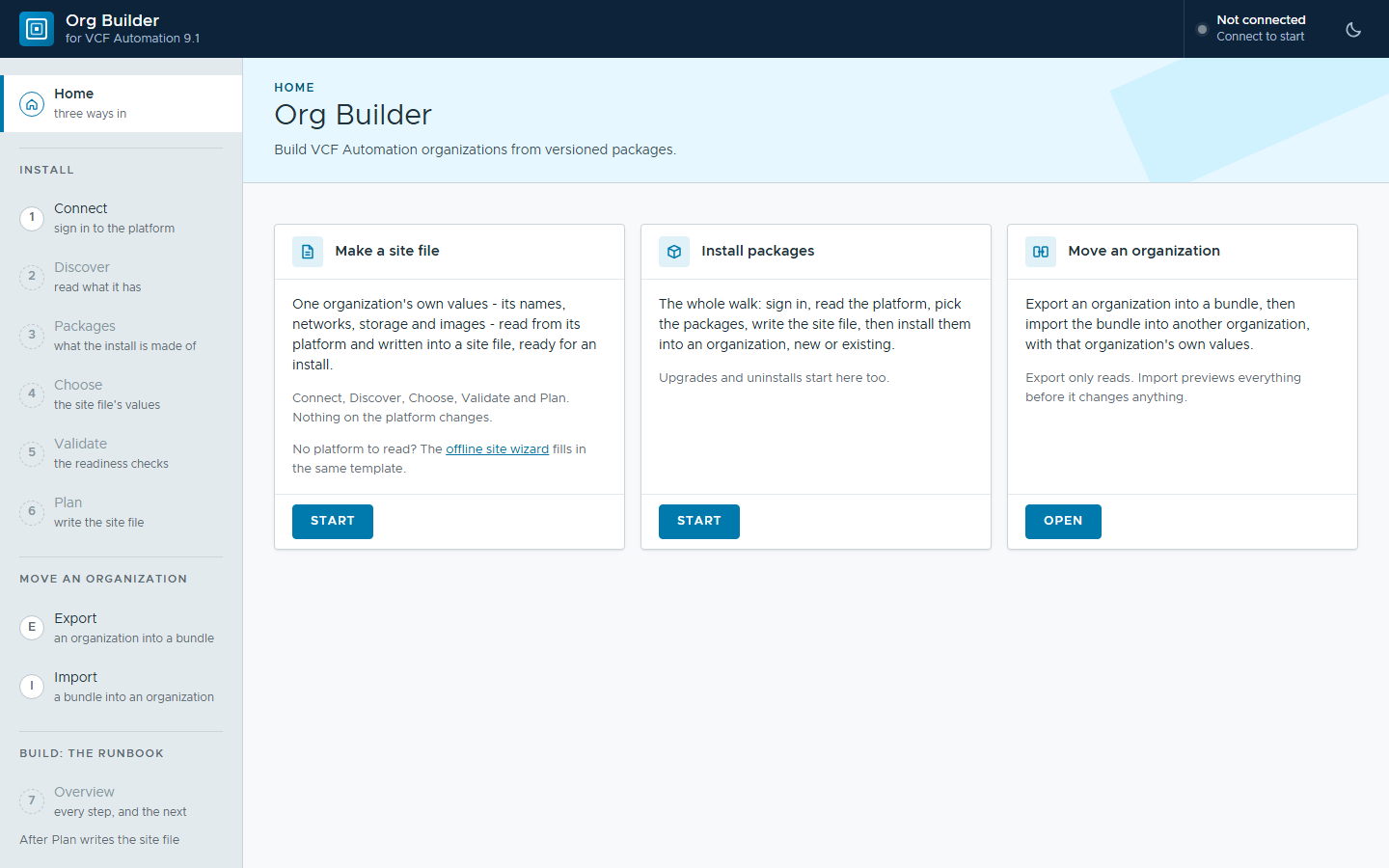
In our lab we build VCF Automation catalog services from start to finish. A blueprint is only part of it. There are the property groups it reads, the request form people fill in, the images it boots from, the projects allowed to see it and the catalog item that puts it in front of them.
Getting all of that working together is the satisfying part. Then another organization needs it: production after development, a second team, a customer, a partner.
The problem
A catalog service isn’t one thing you can hand over. It’s a set of objects that point at each other. A catalog item points at a blueprint version, the blueprint reads a property group, the property group names images, and the images sit in a content library each project has to be able to see.
Rebuilding that in another organization means working through several portals in the right order, copying values from one page into the next. Some values are the same everywhere. Many belong to the site: names, networks, storage, the ids images get when they arrive. Each one typed by hand is a chance to get it wrong, and the mistake tends to show up when someone orders the item.
The alternative is to automate it: a chain of API calls, written for each organization and kept up to date as the catalog changes. That works, right up until the next organization is slightly different. Either way, every organization you build costs a lot of manual effort.
What Org Builder is
Org Builder is a web page that runs on an administrator’s workstation and builds VCF Automation organizations through the platform’s own APIs. Nothing is installed on the platform. It works with three ideas:
- A package says what to build: blueprints, property groups, request forms, catalog items and the rest, with a version number.
- A site file says where: one organization’s own values, such as names, networks, storage and image ids.
- A record of every object it touches, marked as made or found, so it knows what is its own to change or take away.
The content never carries one site’s values; the site file supplies them. So one package can build the same service in any number of organizations.
Before it builds anything, Org Builder reads the destination. What the platform already has becomes a pick-list, so values are chosen rather than typed. Then it checks the site against what the package needs, and shows what it will change before it changes anything.
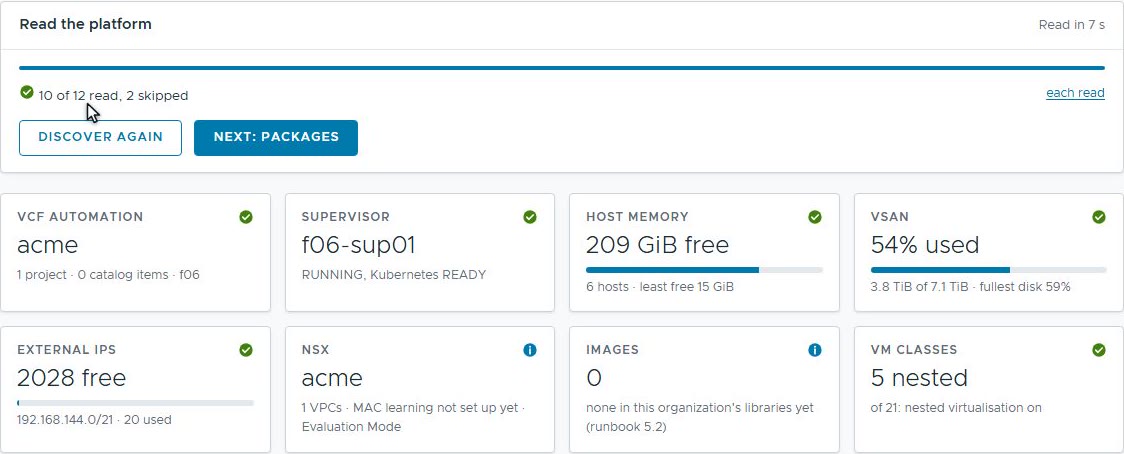 Discover reads what the platform and the organization already have. Nothing changes.
 Values the platform already has are picked from what Discover found, not typed.
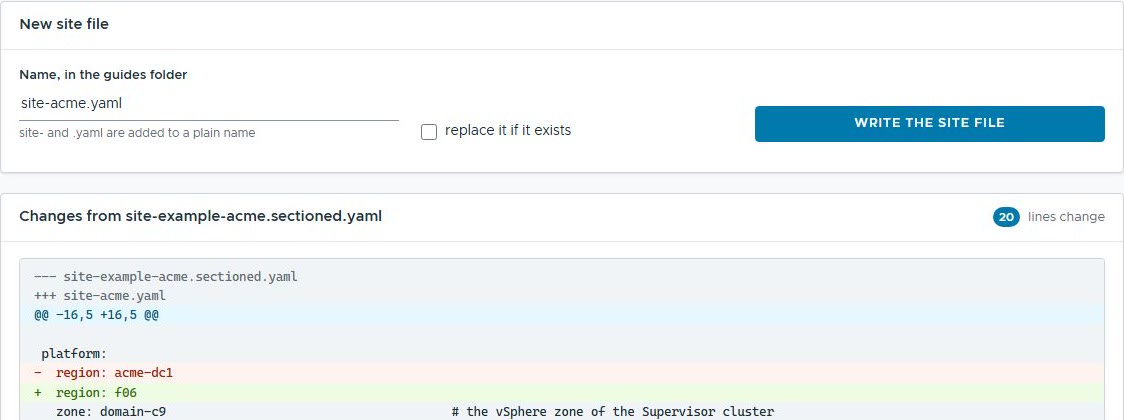 The site file, shown as changes against its template before a single line is written.
Install, or move
Org Builder does two jobs. Install puts a package into an organization, new or existing. It builds each component only after the ones it depends on, and stops to ask when a step needs a person.
Move starts from an organization that already works. Export reads it and writes a bundle: the content, plus the questions the destination must answer about values that belonged to the source. Import builds it in another organization with those answers.
 Export lists everything that makes up an organization, by kind. Untick what should stay behind.
Releases and updates, like software
Because a package has a version, an organization’s setup can be released the way software is: built and tested in one organization, given a number, then installed in the next. A package is plain files and folders, so it sits happily in version control.
An update is the next version of the package. Installing it over the last one changes only what differs. A changed blueprint becomes a new blueprint version, its catalog item moves to it, and VCF Automation keeps the earlier versions to roll back to. The organization’s own values stay in its site file, and the update leaves them alone.
The made-or-found record matters here too. An uninstall takes back only what the package made, and anything the organization had before stays put.
What it can package
Org Builder works with VCF Automation’s own constructs:
- blueprints, each validated before it’s saved, with their custom request forms;
- property groups, the shared values blueprints read;
- catalog items, released at the right version into the right projects;
- content libraries and the images in them;
- projects, VPCs and namespace classes;
- secrets, which blueprints refer to rather than contain;
- policies, such as leases, approvals and day-2 actions;
- an identity source, and its groups with their roles.
Why this matters outside the lab
Anyone running VCF Automation for more than one team meets this sooner or later. A few places it fits:
- Development to production. Build and test a catalog in one organization, then release it to the next as a package, with that organization’s own values.
- A baseline for every new tenant. The same projects, networks, policies and starter catalog in each new organization, different only in its site file.
- One catalog, many customers. Build a service once, install it into each customer’s organization, and ship fixes as new versions.
- Environments that come and go. Stand an organization up for a demo or a training event, then take it down again without touching what was there before.
- Rebuilding from source. An organization described by its packages and its site file can be built again from them, rather than from memory.
What’s next
The next posts show it working, one small step at a time. First, a simple move: a few blueprints and property groups exported from one organization and imported into another, with the destination’s own values changed on the way. Then the same with a content library and its images, plus a package’s own instructions, shown to the person installing it at the step where they matter.
Rules learned
- A package says what; a site file says where. Keep one site’s values out of the content, and the content travels.
- Read before writing, and preview before changing. A pick-list of what exists beats a text box.
- Record what you made, so an update or an uninstall knows exactly what is its own.
Broadcom documentation
- Reusing a Group of Properties in VCF Automation: property groups shared with the organization or kept to one project
- Publish a Blueprint to the Catalog in VCF Automation: releasing a version, by default to the members of the blueprint’s project
- Blueprint versioning in VCF Automation: versions, releases and rolling back
Lab environment; opinions my own. Org Builder is our own tooling, not a Broadcom product. VMware, VCF and VCF Automation are trademarks of Broadcom Inc. or its subsidiaries.