
Everything was green. The VPC: realized. The namespace: ready. The VMs:
powered on, endpoints populated, ports listening. And the LoadBalancer
services sat at <pending>. For an hour.
This is the story of the least helpful error message in my recent memory, what it actually means, and the one-line ordering rule that would have saved an afternoon. If you’re doing self-service NSX VPCs on VCF 9 with the vSphere Supervisor, you will hit this. Bookmark accordingly.
The setup
The VPC was tenant-created, through VCF Automation’s Cloud Consumption
Interface (CCI) API. A supervisor namespace was pinned to it, with a couple
of VirtualMachineService objects of type LoadBalancer to publish SSH and
HTTPS for the workloads inside. Standard stuff: the exact pattern that works
out of the box in the org’s default VPC.
The Kubernetes side looked perfect:
$ kubectl get endpoints -n pod-a
NAME           ENDPOINTS                        AGE
esx01-access   172.30.0.40:443,172.30.0.40:22   6m36s
esx02-access   172.30.0.41:443,172.30.0.41:22   6m35s
Endpoints resolved. VIPs: nothing. The only clue was a recurring event:
Warning  FailedRealizeNSXResource  service/esx01-access
Generic error occurred during realizing network for Service
“Generic error.” Wonderful.
Digging: what NCP actually wants
The supervisor’s network container plugin (NCP) told the real story in its logs:
nsx_ujo.ncp.nsx.policy.lb_layer4_service Lb Service not Found for Namespace pod-a
NCP00270 Failed to process virtual ip for service ...: Lbs pod-a is not found
Encountered retryable error ... : Lbs pod-a is not found
NCP wants an NSX LBService in the namespace’s VPC. In the org’s default VPC, one exists, because the platform created it when the VPC was born. In my self-service VPC? Nobody had created one.
Fair enough. That’s actually documented behaviour, once you know where to
look. A fresh VPC needs a LoadBalancer object. Before that, it needs a
VPCAttachment to a connectivity profile with the service gateway enabled.
Without the attachment, the load balancer creation itself fails, with a much
better error message.
So I created the attachment, then the LBService. NSX: Realized=True.
Problem solved?
Warning  FailedRealizeNSXResource  service/esx01-access
Generic error occurred during realizing network for Service
No.
The actual bug-shaped behaviour: a snapshot, not a lookup
Here’s the part that costs you the afternoon. That “retryable error” retries the lookup in NCP’s cache, not the discovery. NCP snapshots the VPC’s load balancer inventory when the namespace is created. An LBService that appears afterwards is never discovered, however long you wait:
- Recreating the Kubernetes services: no effect.
- Tagging the LBService with the
nsx-op/*ownership tags the working ones carry: no effect, because the cache doesn’t re-read NSX. - Restarting NCP would force a full resync, but supervisor system pods are
protected. Even
Administrator@vsphere.localgets a Forbidden, which is a humbling thing to read. - Mutating the namespace to nudge a resync: also blocked, by the supervisor’s namespace validation webhook.
As a tenant, there is exactly one fix: delete and recreate the namespace, now that its VPC has a load balancer. Fifteen minutes of rebuild, for want of one ordering rule.
And the control experiment proves the rule. A namespace created after its VPC already had an LBService got its VIPs assigned without any drama:
esx01-access   VIP=192.168.144.34   22 OPEN · 443 OPEN
esx02-access   VIP=192.168.144.35   22 OPEN · 443 OPEN
Once the ordering is right, this is what “working” looks like. It’s the pod’s state a couple of minutes after a correctly ordered deployment:
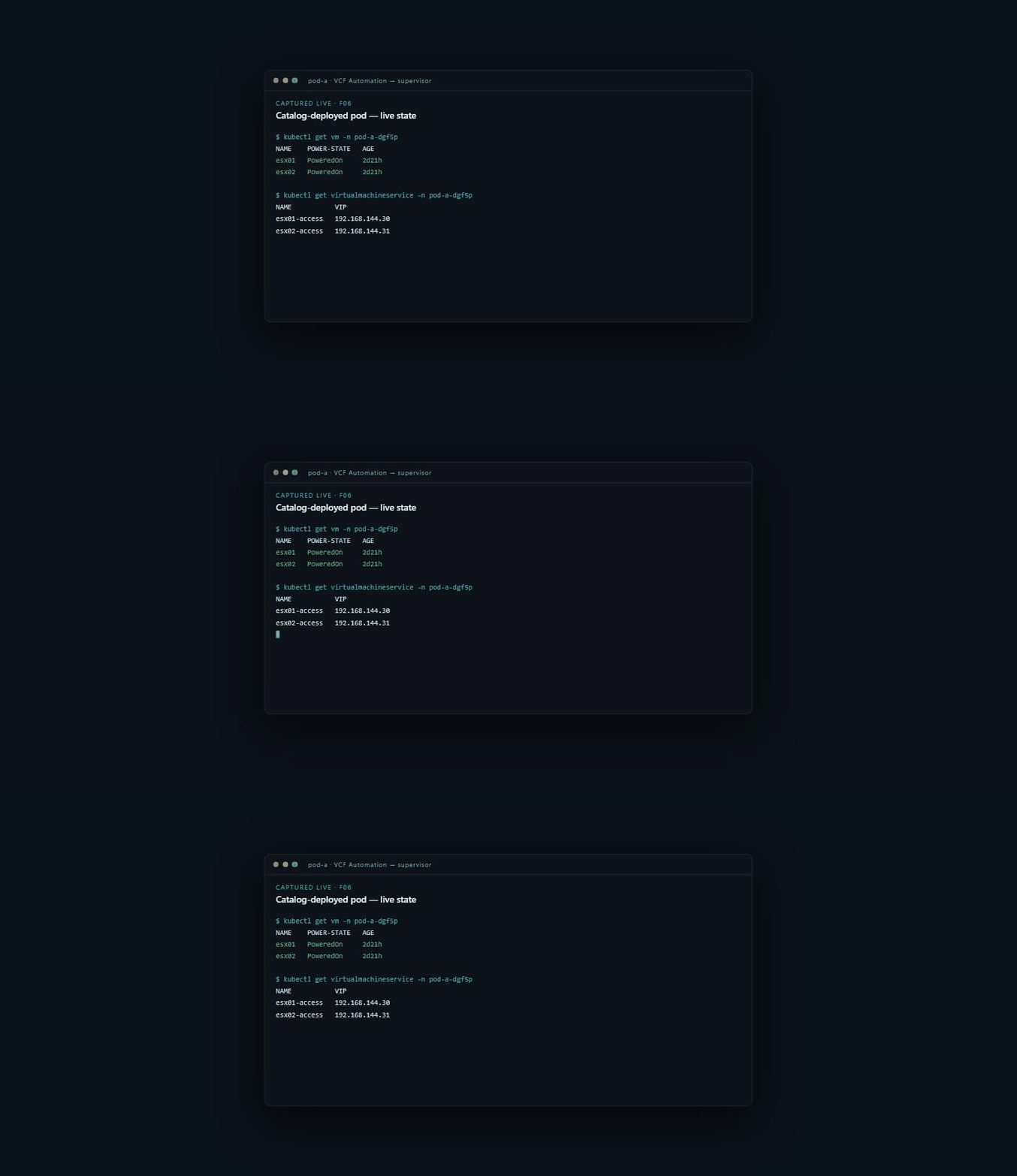
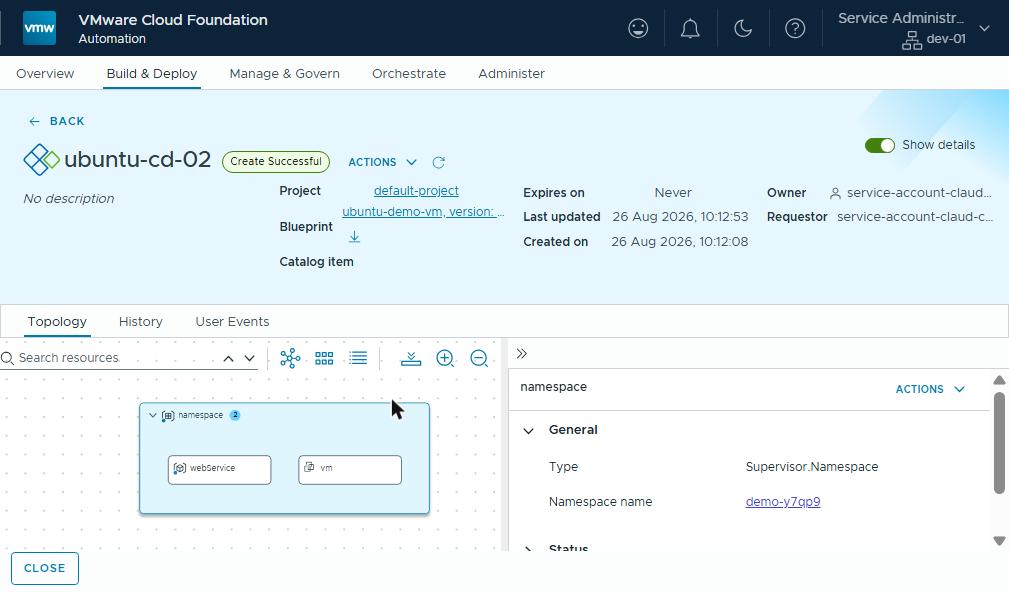 What the requester sees once the order is right.
The ordering rule
For every self-service VPC that will publish LoadBalancer services, create these in order, before the namespace:
1. VPC                                   (vpc.nsx.vmware.com/v1alpha1)
2. VPCAttachment                         (connectivity profile w/ service gateway
                                          — LB creation errors without it)
3. LoadBalancer   {regionName, vpcName}  (the step everyone misses)
4. ...and only THEN the Supervisor Namespace
Encode it in whatever provisions your VPCs: a script, a pipeline, an
operator. It’s four API calls, which is a good deal cheaper than an
afternoon. And it turns a silent, undiagnosable <pending> into a platform
that just works.
Why this matters outside the lab
Nobody buys a platform for its ordering rules. But this is exactly the kind of edge that decides whether self-service provisioning feels reliable or flaky to the people using it.
In a customer deployment, the answer isn’t a blog post. It’s provisioning
automation that already does the four steps in the right order, every time,
so a tenant never sees a VIP stuck at <pending>. Knowing where the sharp
edges are, because you’ve been cut by them in a lab, is most of what an
experienced delivery partner is for.
Rules learned
- In a self-service NSX VPC, the LBService must predate the namespace. NCP discovers load balancers when the namespace is added, and never again.
FailedRealizeNSXResource: Generic erroron a Service means: go and read the NCP logs. The real message (Lbs <ns> is not found, NCP00270) is there.VPCAttachment(service gateway) is the prerequisite for the load balancer itself. That one, at least, fails loudly.- Retro-tagging NSX objects to look “owned” doesn’t help a cache that never re-reads. Recreating the namespace is the only tenant-level fix.
- While you’re at it: new namespaces also reject VM creation until image
status.diskssyncs (~1–3 minutes after content library attach). Build the wait into your automation and both sharp edges disappear.
Broadcom documentation
- Deploying Supervisor with VCF Networking with VPC: what NCP creates for a namespace given no VPC: a VPC with its load balancer and SNAT IP.
- Create vSphere Namespaces on VPCs without SNAT and Load Balancer: without the VPC’s load balancer, LoadBalancer services and VirtualMachineServices cannot be deployed.
- Add a VPC Connectivity Profile: the transit gateway, the service gateway and default outbound NAT.
- Create and Configure a vSphere Namespace on a Supervisor with NSX VPC: placing a new namespace in an existing VPC.
- Create a Virtual Private Cloud in VCF Automation: a tenant VPC, its connectivity profile and its load balancing setting.
- Sample Blueprints in VCF Automation: a VPC, its VPCAttachment and a namespace that depends on them, as blueprint resources.
Previously in this series: nested ESXi inside an NSX VPC. Next: three datacenters, one IP plan, with identical isolated pods.
Lab environment; opinions my own. Output captured live, trimmed for length, never edited for outcome.