
Here are three hosts, all answering to vmk0 = 172.30.0.40:
ssh root@192.168.144.30  ->  [root@esx01-a:~]  vmk0  172.30.0.40
ssh root@192.168.144.32  ->  [root@esx01-b:~]  vmk0  172.30.0.40
ssh root@192.168.144.34  ->  [root@esx01-c:~]  vmk0  172.30.0.40
Same IP. Same VLAN. Same gateway. Same MAC address, as it turns out. And none of them can reach any of the others. This is the post where NSX VPCs stop being a workaround for nested labs, and become genuinely better than the physical alternative.
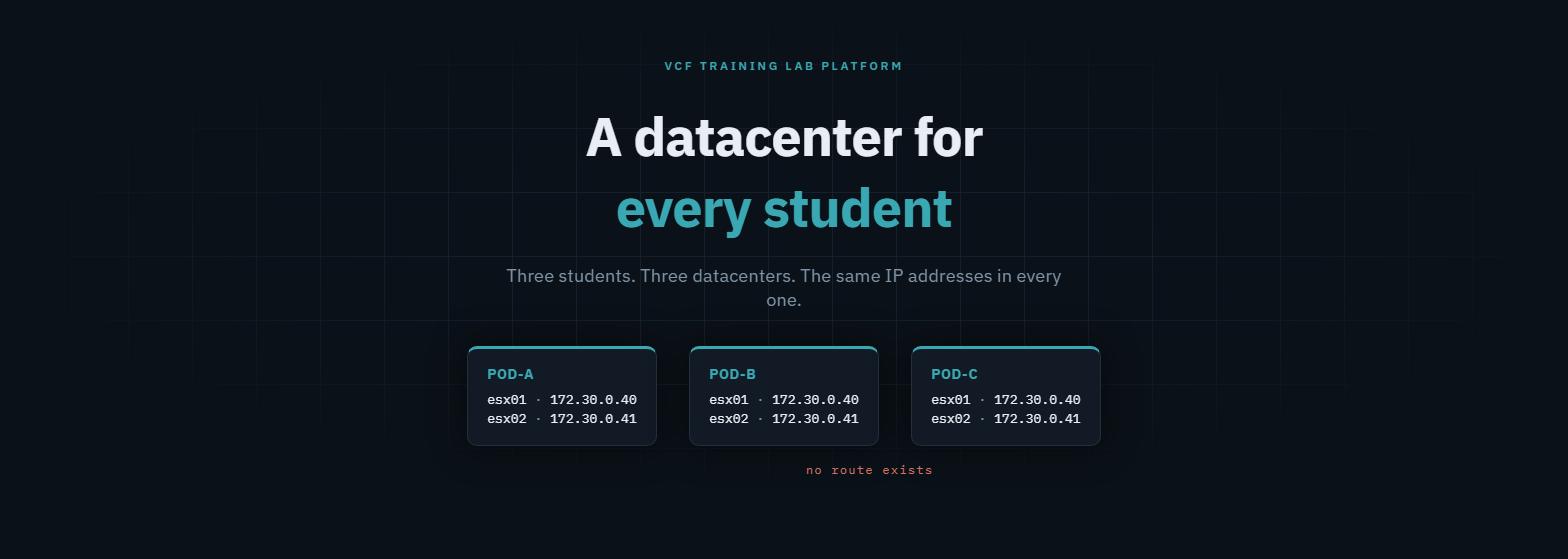
Why identical addressing matters
If you’ve ever built training pods, cert-study labs or per-team reproduction environments, you know the pain. Every copy needs a unique address plan. So every runbook, every screenshot and every “type this exact command” has to be parameterised per pod. Students in seat 7 see different numbers from the slides. Reproductions drift from the original.
The fix is obvious and normally impossible: give every pod the same addresses. On a physical fabric, that means VRFs, per-pod NAT and a great many favours from the network team. In an NSX VPC, it’s the default behaviour.
The mechanism: overlapping privateIPs
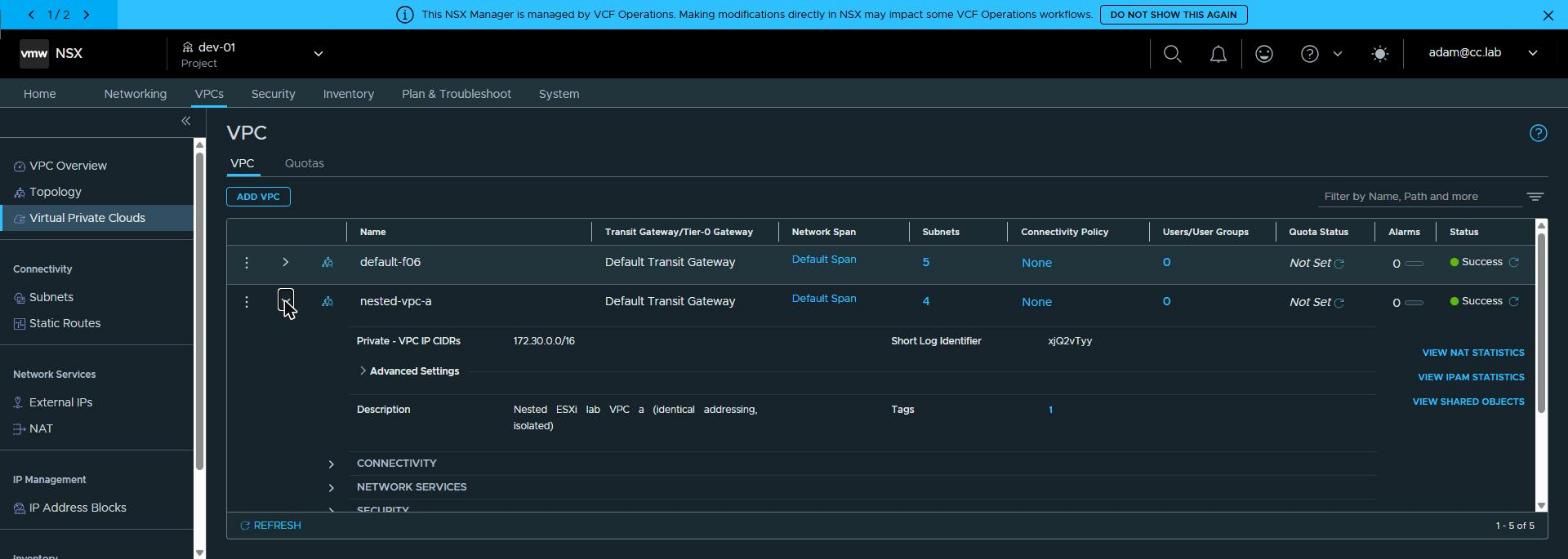
Each pod gets its own VPC, and every VPC declares the same private range:
apiVersion: vpc.nsx.vmware.com/v1alpha1
kind: VPC
metadata: {name: nested-vpc-a}      # then -b, then -c
spec:
  privateIPs: ["172.30.0.0/16"]      # identical in all three
A Private subnet is never advertised beyond its VPC, so NSX has no
objection to three VPCs carving up the same /16. The pods aren’t “firewalled
from each other”. There is simply no route between them: isolation by
construction, not by policy.
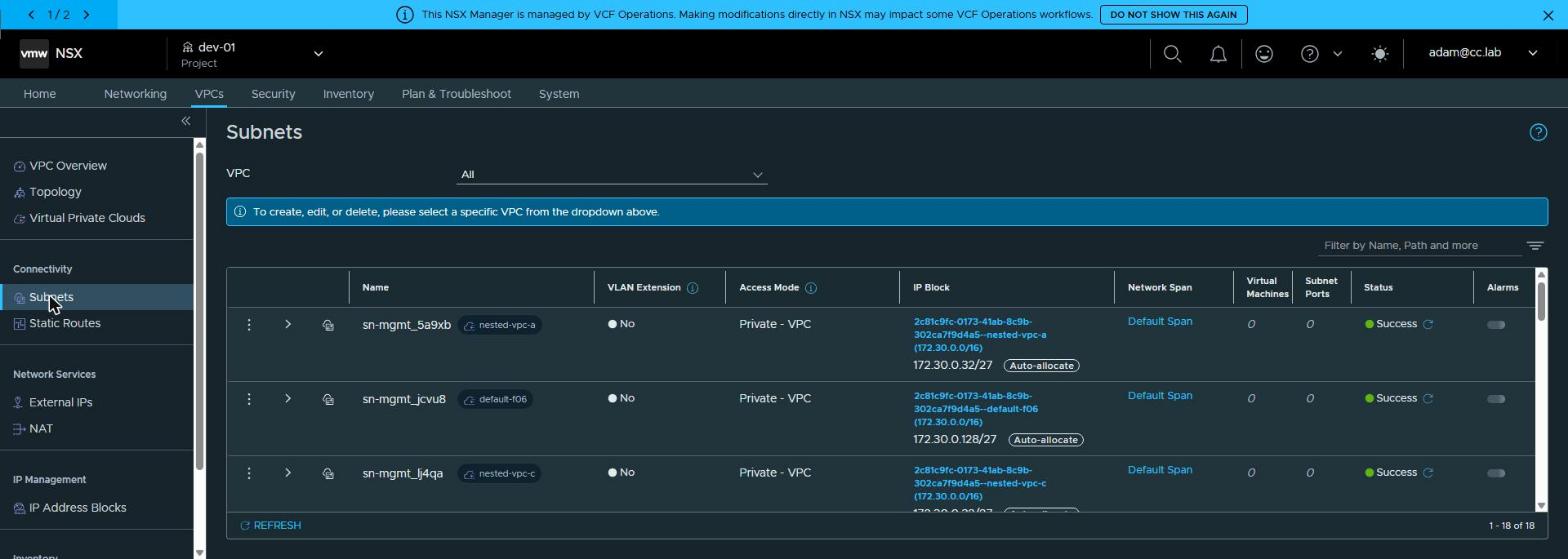 NSX’s subnet view filtered to
 sn-mgmt: four rows, four VPCs, one CIDR.
The trick: deterministic realization
Identical ranges aren’t enough. I want identical subnets, so that the
management gateway is .33 and the hosts are .40/.41 in every pod.
NSX allocates subnets from privateIPs in creation order, and a fresh VPC
allocates deterministically. So the topology is applied in a fixed order
(trunk, mgmt, vMotion, vSAN), and every pod realizes the same map:
| Subnet | Realized | VLAN | Hosts |
|---|---|---|---|
| sn-trunk | 172.30.0.0/27 | — | (carries the tags) |
| sn-mgmt | 172.30.0.32/27 | 1610 | .40 / .41, gw .33 |
| sn-vmotion | 172.30.0.64/27 | 1611 | .70 / .71, gw .65 |
| sn-vsan | 172.30.0.96/27 | 1612 | .100 / .101, gw .97 |
In the catalog blueprint, dependsOn between the subnet resources enforces
that order. It’s the one place a declarative tool needs to be told about
sequence. Skip it and two pods can come out with mgmt and vMotion swapped,
which works perfectly and confuses everyone.
The door: one VIP per host
Each pod is unreachable from outside by design. So each host gets a
VirtualMachineService of type LoadBalancer, publishing SSH and HTTPS. The
VIPs come from the org’s external block, and they’re the only addresses
that differ between pods:
| Pod | VPC | esx01 VIP | esx02 VIP |
|---|---|---|---|
| a | nested-vpc-a | 192.168.144.30 | .31 |
| b | nested-vpc-b | 192.168.144.32 | .33 |
| c | nested-vpc-c | 192.168.144.34 | .35 |
That’s how the opening transcript works: three VIPs, three hosts, one inside address.
Proving the isolation
Claims are cheap. Here’s the test matrix, from a VM in a fourth VPC (the org default):
ping 172.30.0.140 (own VPC)....... REACHABLE
ping 172.30.0.40  (pod space)..... unreachable
curl http://172.31.0.2/ (shared).. shared-svc repo01
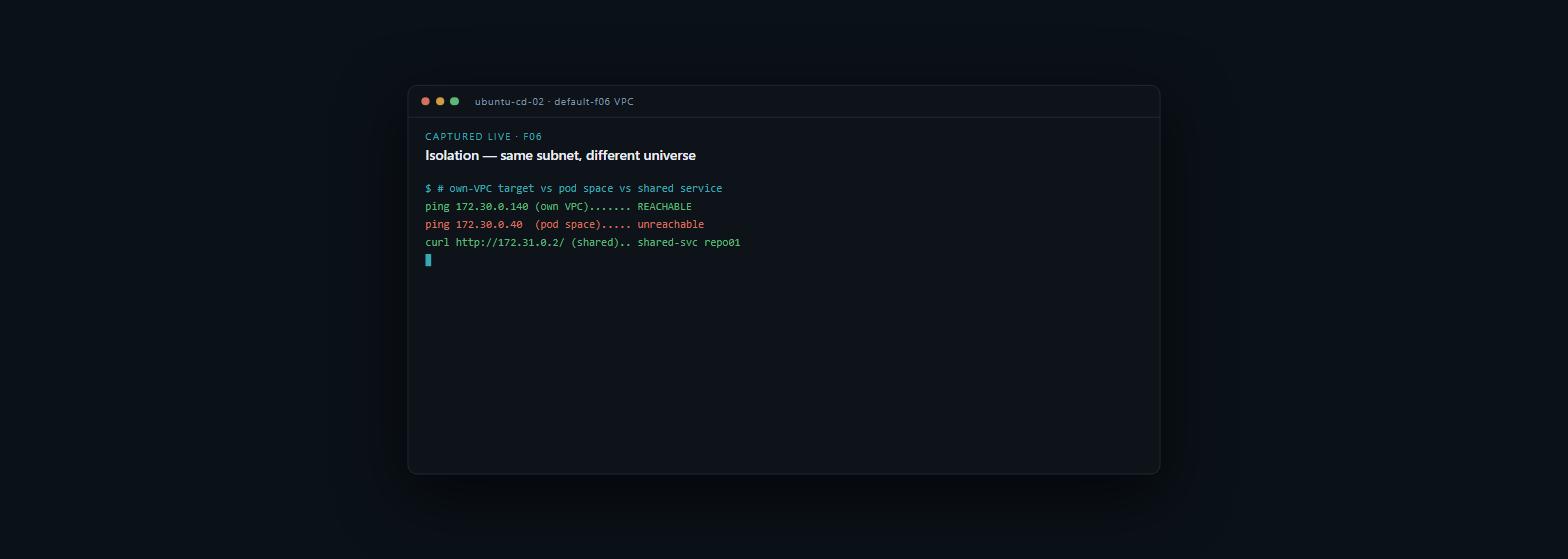
Its own VPC’s 172.30.0.140: reachable. Then 172.30.0.40, an address that
exists in three other VPCs at once: unreachable, because from here there is
no such route. (The third line is the shared-services VPC, which is the next
post.)
Inside each pod, east-west traffic is normal: esx01 → esx02 vmkping passes
on all three VLANs, in all three pods. And here’s the detail I didn’t expect.
The nested-ESXi appliance derives vmk0’s MAC deterministically from its
config, so the three hosts share a MAC as well as an IP.
That’s harmless, because each VPC is its own L2 domain. On one shared physical segment, it would make for a rather more exciting afternoon. Here, it’s just a nice demonstration of how complete the separation is.
What this replaces
| Physical / VLAN-based pods | VPC pods | |
|---|---|---|
| Identical addressing | VRF per pod + NAT, fabric change per pod | default behaviour |
| Adding a pod | switch config, IPAM, firewall rules | one API call for the VPC, one blueprint request |
| Isolation guarantee | policy (auditable, breakable) | topology (no route exists) |
| Tenant self-service | no | yes — the VPC is a tenant object |
Why this matters outside the lab
“Identical environments” sounds like a lab nicety. It’s actually one of the most requested things in enterprise IT, usually asked for in other words:
- Training at scale: every seat in the room sees the same addresses as the slides, so material is written once and never parameterised per pod.
- Per-engineer or per-team replicas of a reference environment, for development and testing that behaves exactly like the original.
- Regulatory or business-unit separation on shared infrastructure, without VRF sprawl or a bespoke firewall estate. Isolation is a property of the topology, which is the easiest kind to evidence to an auditor.
- Blue/green copies of an environment for change rehearsal, then cut-over or discard.
On a physical network, each of these is a project. On VCF with NSX VPCs, it’s a template.
Rules learned
- Overlapping
privateIPsacross VPCs is supported and intentional. Identical pods are a feature, not a hack. - Fresh VPCs realize subnets deterministically in creation order. Fix
the order (
dependsOnin a blueprint) and every pod gets the same map. - Pods are unreachable from outside by construction. Publish exactly what
you mean to through
LoadBalancerVIPs from the external block. - Prove isolation from a different VPC, with a positive control (own VPC reachable) beside the negative.
- Expect duplicate MACs across pods from appliance images. It looks alarming, and it’s fine.
Broadcom documentation
- Create a VPC: private CIDRs are local to a VPC and can overlap between VPCs.
- Add a Subnet to a VPC: Private subnets, and subnet CIDRs auto-allocated from the VPC’s IP blocks by size.
- Virtual Private Clouds Overview: the access modes, NAT, and external IPs as a way in to private workloads.
- Creating bindings and dependencies between resources in blueprints in VCF Automation:
dependsOnand the build order it sets. - Create a Virtual Private Cloud in VCF Automation: a VPC as an organization’s own object, with its own private CIDRs.
Previously: the LB that must exist first. Next: one WSUS for pods that can’t see each other.
Lab environment; opinions my own. Output captured live, trimmed for length, never edited for outcome.