
The Cluster manifest is the same. That’s the point of this post, and
also the punchline, so I’ve rather given away the ending. VKS is VKS
whichever door you walk through.
What differs is everything wrapped around the cluster: who can ask for it, what limits it, who can see it, and how it shows up in operations tooling.
So: two clusters, one supervisor, one ClusterClass, two paths.
Path A: kubectl, the way we’ve always done it
kubectl vsphere login --server <supervisor> --tanzu-kubernetes-cluster-namespace demo
kubectl apply -f cluster.yaml
apiVersion: cluster.x-k8s.io/v1beta1
kind: Cluster
spec:
  clusterNetwork: { pods, services, serviceDomain }   # set all three — see below
  topology:
    class: builtin-generic-v3.6.0
    classNamespace: vmware-system-vks-public          # the gotcha
    version: v1.35.5+vmware.1
    controlPlane: {replicas: 1}
    workers: { one node pool, 2 replicas }
    variables: [ vmClass, storageClass ]
Fifteen minutes later: a cluster.
It does need a vSphere namespace first, and somebody (an admin) makes that by hand in the vSphere Client. They attach a content library, assign a VM class and set the quota. In this lab, that somebody is me.
Path B: the same manifest, as a catalog request
In All Apps, the cluster is a CCI.Supervisor.Resource inside a blueprint,
sitting next to a CCI.Supervisor.Namespace:
resources:
  namespace:
    type: CCI.Supervisor.Namespace
    properties:
      generateName: ${input.name}-
      className: large                      # quota comes from the class
      regionName: f06
      vpcName: ${input.vpc}
      contentSources: [{name: f06-vks-lib01, type: ContentLibrary}]
  cluster:
    type: CCI.Supervisor.Resource
    properties:
      context: ${resource.namespace.id}
      manifest: <the SAME Cluster object as above>
Publish it, and a tenant user requests it from a tile:
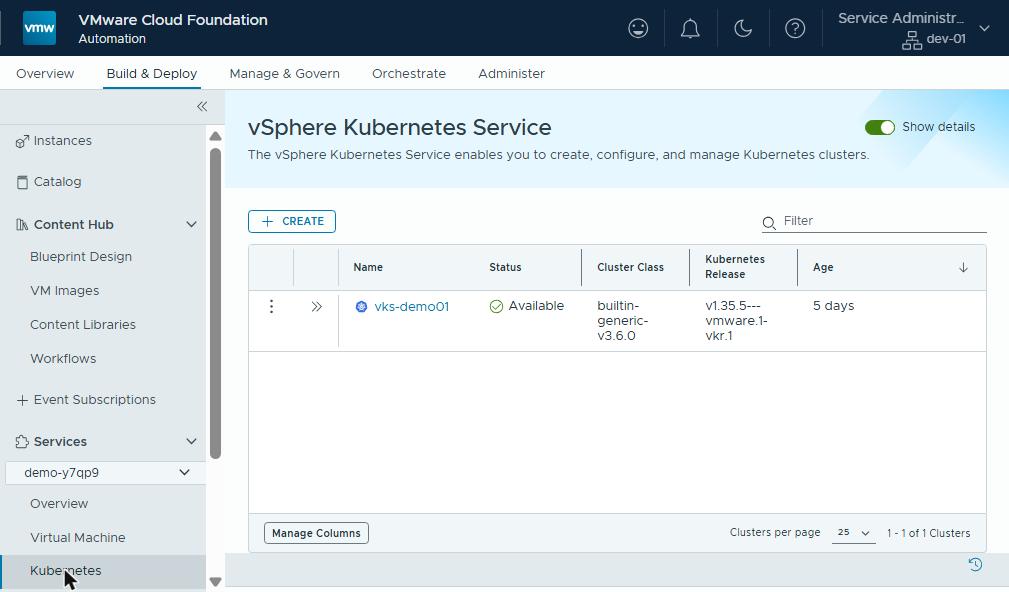
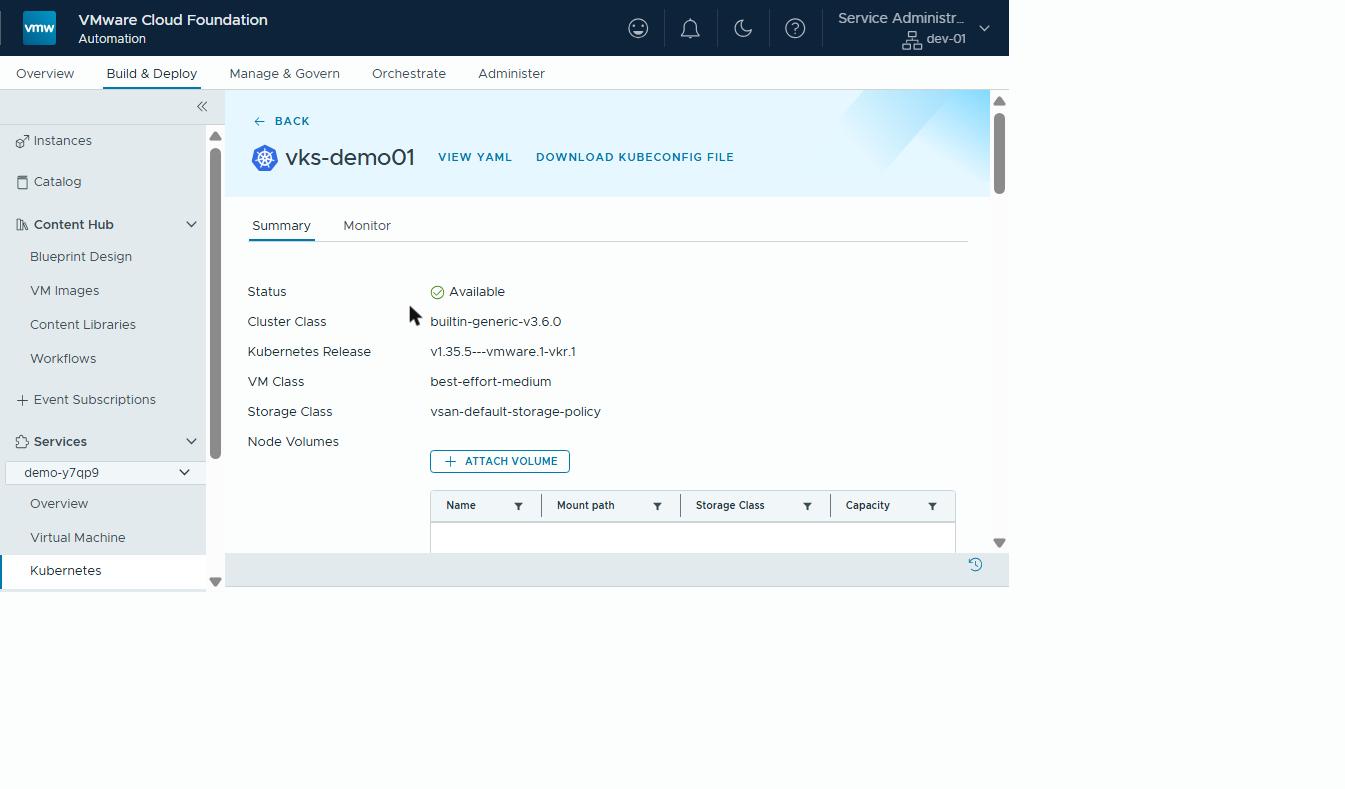
Fifteen minutes later: a cluster. Byte-identical Cluster object.
What path B adds for free
| kubectl | All Apps request | |
|---|---|---|
| Who can create | anyone with a kubeconfig to that namespace | org users with catalog entitlement (org RBAC) |
| Namespace | pre-created by an admin, by hand | created by the request, from a class |
| Quota | set per namespace in the vSphere Client | inherited from the namespace class (small/medium/large) |
| Content library | admin attaches manually | contentSources on the blueprint |
| Networking | whatever the namespace has | pinned to a tenant VPC by vpcName |
| Sizing choices | edit YAML | form inputs with enums (worker count, VM class) |
| Record | kubectl get cluster | a deployment with inputs, owner, history, day-2 actions |
| Visibility | supervisor only | VCFA inventory and VCF Operations |
That last row is the one operations teams care about:
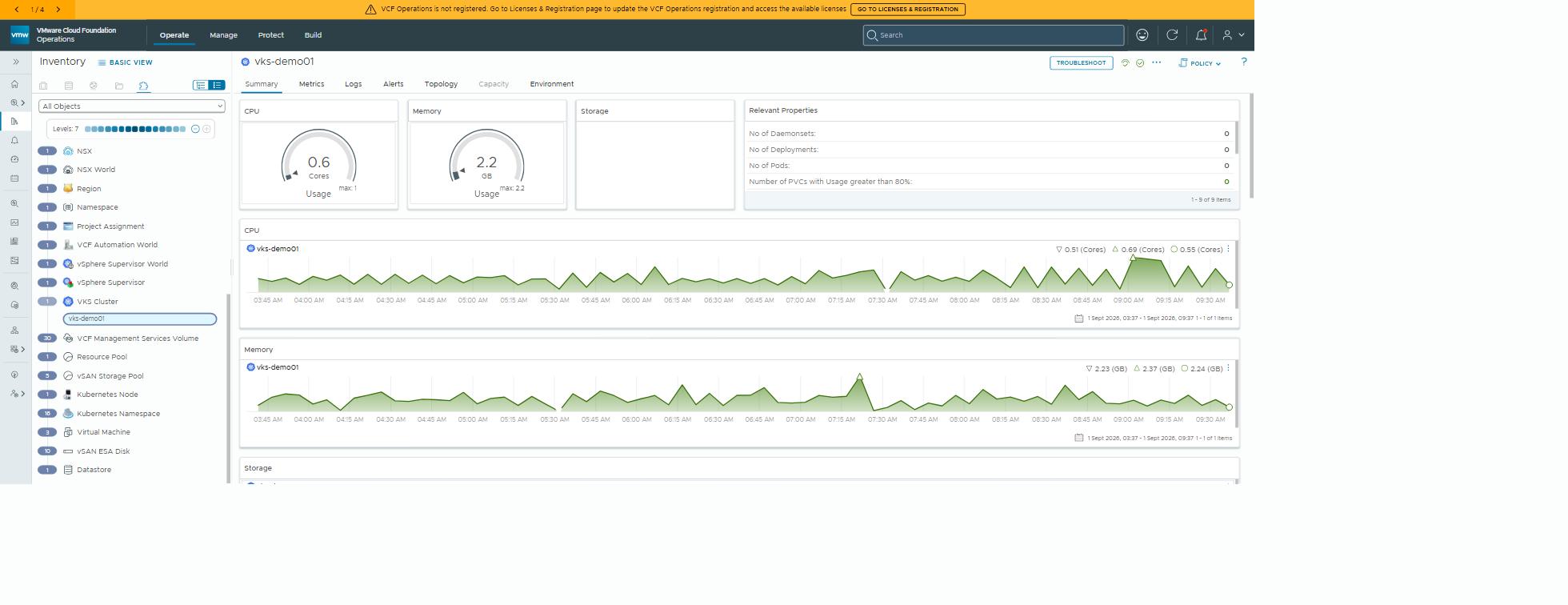
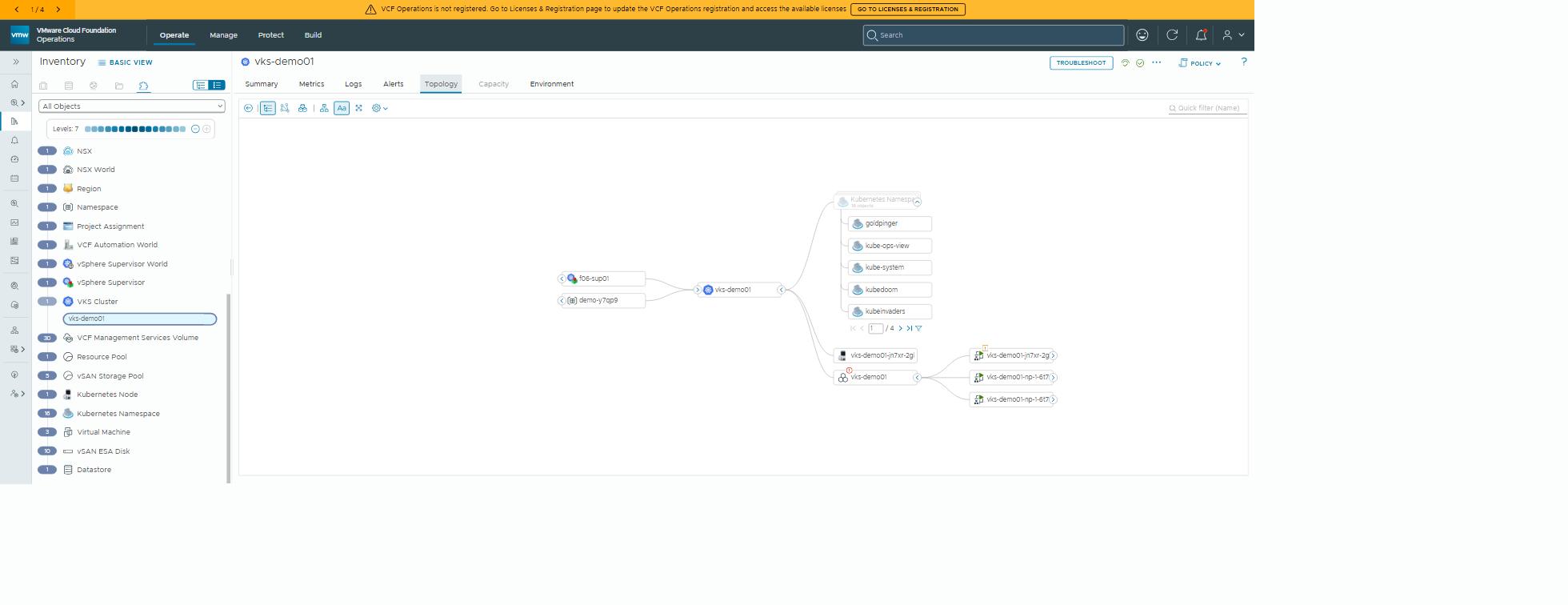
The VCFA-deployed cluster appears in the Ops object model: supervisor, then namespace, then cluster, then nodes, then the workloads running on it. Its demo apps show up by name in the topology tab.
The kubectl-built cluster is also visible to Ops (it’s the same supervisor, after all). But it has no deployment, no owner, no request history and no quota lineage. It’s a thing that exists, not a thing that was provided. As far as the paperwork goes, it simply turned up one day.
The four gotchas, in order of how much time they cost
Both paths share the same four traps on VKS 1.35 / VCF 9.1:
- Our VCFA-created namespace had no content library. Zero
VirtualMachineImages means no cluster. SetcontentSourcesin the blueprint, or attach one by hand. The 9.1 docs say a namespace class gets a content library automatically; ourlargeclass had none assigned. ClusterClasslives invmware-system-vks-public. It 404s from the workload namespace unless the spec setstopology.classNamespace.- The default Quick Start namespace is 1000M CPU / 1000Mi. Unusable
for a cluster. Use a real class:
small10000M/10000Mi,medium20000M,large40000M. - VKS 1.35 enforces PodSecurity
restrictedby default. Demo apps that run as root get a ReplicaSet and no pods, and the events sayFailedCreate. Label the app namespacepod-security.kubernetes.io/enforce=privileged(or fix the apps).
Plus one that waits until later to bite, as the best ones do. Set
clusterNetwork.serviceDomain explicitly. It’s immutable after create, and
without it some add-ons build the service DNS name wrongly (....svc. with
no domain).
And pick a pod CIDR that doesn’t shadow your VPC’s external range. The
stock 192.168.0.0/16 hid the org’s 192.168.144.0/21 from inside the
cluster.
So which one?
Use kubectl when you’re the platform team proving something on a supervisor, or debugging.
Use All Apps the moment a second person needs a cluster. The request form is the interface, and the namespace class is the guardrail. The deployment is the audit trail, and Ops sees a provided service rather than a stray object.
The cluster’s the same either way. The service isn’t.
Why this matters outside the lab
The business case for the second path is governance without friction. Development teams get Kubernetes clusters on request. The platform team gets quotas, ownership, RBAC and a monitoring view of every cluster, for free.
That’s the difference between a managed Kubernetes service and a collection of clusters nobody can account for. It’s typically the gap that stops organisations offering Kubernetes broadly at all. Everything the developers touch stays standard Kubernetes; the control lands around it, not on it.
Rules learned
- The
Clusterobject is identical across paths. All Apps wraps it; it doesn’t change it. - What All Apps adds: catalog RBAC, class-based quota, library attach, VPC pinning, deployment history, and a place in the Ops object model.
- Four traps on 1.35: no library on our namespace class,
classNamespace, tiny default quota, PodSecurityrestricted. - Set
serviceDomainand a non-shadowing pod CIDR at create time. Both are immutable.
Broadcom documentation
- Workflow for Provisioning VKS Clusters Using kubectl: path A, from Supervisor login to an applied cluster YAML
- Using the Versioned ClusterClass: the built-in ClusterClass in
vmware-system-vks-publicandspec.topology.classNamespace - Sample Blueprints in VCF Automation: a
Clusteras aCCI.Supervisor.Resourcebeside aCCI.Supervisor.Namespace - Create a Namespace Class in VCF Automation: CPU and memory limits, VM classes, storage and content libraries per class, and the default small, medium and large
- Configure PSA for VKr 1.25 and Later:
restrictedenforced by default from VKr 1.26, and the namespace label that relaxes it - Monitoring VKS Clusters Using VCF Operations: VKS clusters in VCF Operations, monitored by default on VCF 9.1
Next in All Apps in Practice: the demo apps that live on this cluster.
Lab environment; opinions my own.